Search your Twitter likes by keyword or meaning
Bring your own X (formerly Twitter) likes into XMore and search the posts locally. Use keywords, remembered meaning and source filters to revisit ideas you liked but never bookmarked.
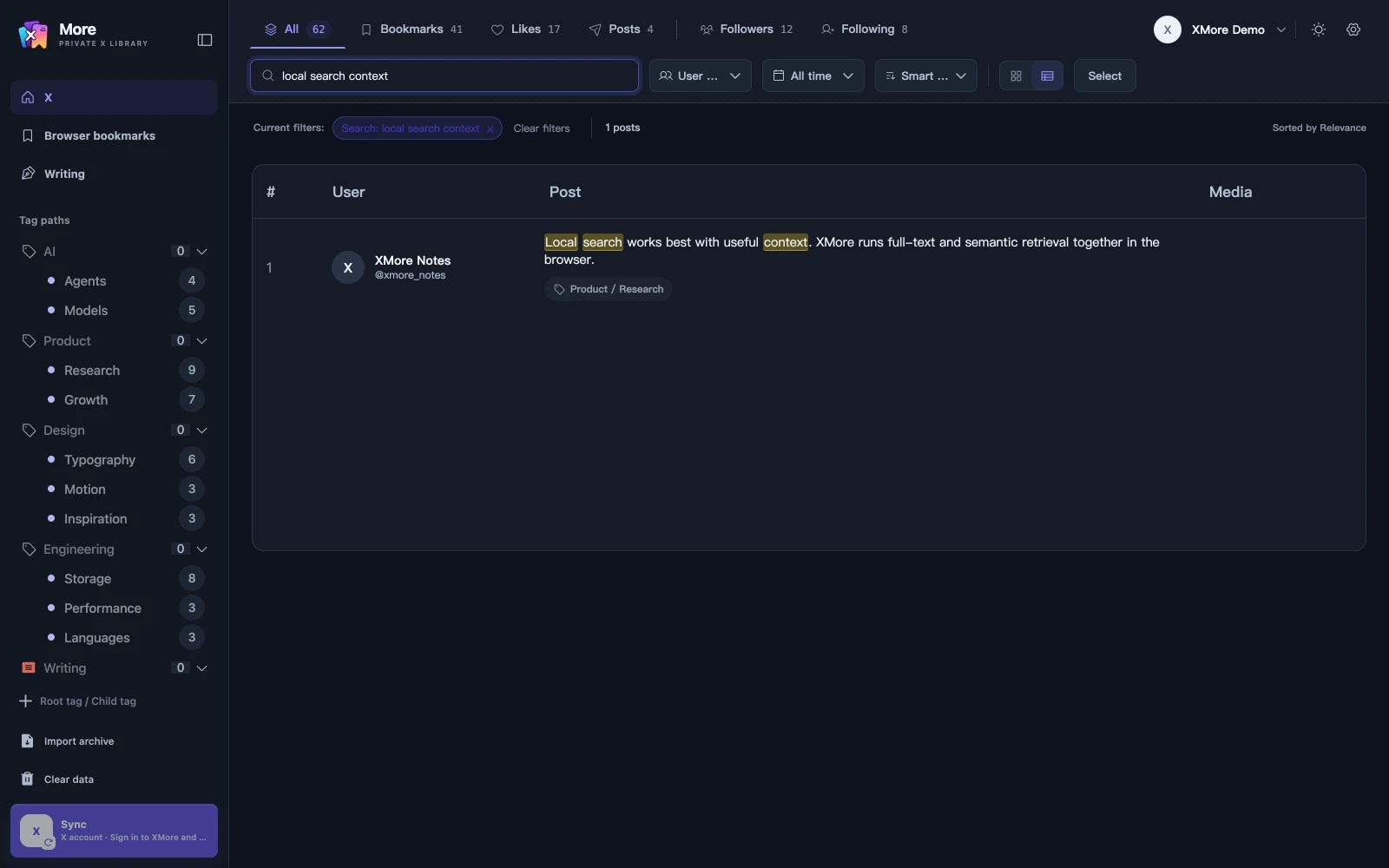
Search your Twitter likes by keyword, date, or author
Sign in to XMore with valid access and sync the likes of your own X account. Supported X archive files can also provide like records. Select Likes before searching to focus on posts associated with that source. This Twitter likes search stays within the records available in your local library.
- Sync Likes or import a supported archive
- Check the imported or synced records in the Likes view
- Enter words from a post or describe its idea
- Refine by author, date and tags, then open the result
Find the post you liked without remembering its exact text
Use a distinctive keyword when you remember the wording. If you remember the subject instead, describe the idea and let the local semantic model retrieve related content. Card and table views let you review the results in different ways.
- Limit results to the Likes source
- Combine author, date and tag filters
- Tag useful posts for later review
Filter liked posts by their post date
Select Today, Yesterday, Last 7 days, Last 30 days or This year. These ranges use the post creation time and fall back to capture time if necessary. Use All time to search older posts you liked recently.
For records from an archive, search depends on the text and dates actually present in the file. See the X archive import guide (Chinese) for supported files and local backup limits.
A liked and bookmarked post shares one content record
XMore preserves the like and bookmark source relationships while reusing the same post content. You can move from a Likes-only search to a combined library search. The bookmark search guide explains the corresponding saved-post workflow.
Keep track of account and storage boundaries
Content, source relationships, sync progress and search results are scoped to the selected X account. Search runs over local records; account and access services use the cloud. Optional Agent tag suggestions can send the current item and required context to your model provider when enabled.
Read the data boundary guide and keep original archive files independently. Clearing extension data or losing the device can remove the local copy.
Common questions
Can I use this to view another person’s private likes?
XMore manages the likes of the X account you use. This workflow provides no access to other people’s private likes.
Can I search my Twitter likes by date?
Yes. Sync or import your own likes first, then select a preset post-date range and combine it with author or tag filters. Use All time for older posts you liked recently.
Why is a liked post missing from search?
Check the selected account, Likes filter and sync or import progress. Only records available in the local library can contribute to the results.
Will duplicate likes and bookmarks appear as separate posts?
The same post shares one content record while keeping its like and bookmark relationships.
Do I need an XMore account?
Yes. XMore requires sign-in and valid access rights. Its local data storage does not remove those access requirements.
 morePRIVATE X LIBRARY
YOUR X, REMEMBERED
morePRIVATE X LIBRARY
YOUR X, REMEMBERED
Make your saved posts useful again.
Build a local X library from your bookmarks, likes and own posts.
Add XMore to Chrome